


address_management/area_editor.php
Last modified by YellowFox_RD on 2024/12/19 10:11
Table of Contents
This function gives you an iFrame in which you can edit an area.
Description
GET /address_management/area_editor.php?company=COMPANY_KEY&import=IMPORT_KEY&uuid=AREA_UUID&category=passive
Parameter
| Parameter | Description | Type | Hint | Mandatory? |
|---|---|---|---|---|
| company | RTI company key | string | yes | |
| import | RTI import key | string | yes | |
| category | category of area | string | Possible values:
| yes |
| uuid | unique identifier of area | string | You will get this on adding areas via RTI or access it by using get_areas function. | yes |
| watermark_position | Where on the map should the YellowFox Logo should be displayed? | string | Possible values:
| no |
| language | Which language should be used inside the editor? | string | Possible values:
| no |
| height | height of map | int | default: 400 | no |
| height_unit | unit of height | string | Possible values:
| no |
| width | width of map | int | default: 400 | no |
| width_unit | unit of width | Possible values:
| no | |
| opacity | opacity of shown areas on map | float | between 0 and 1 default: 0.4 | no |
Return Value
A HTML document with an integrated iFrame will be returned. Will return "ERROR:description" on error.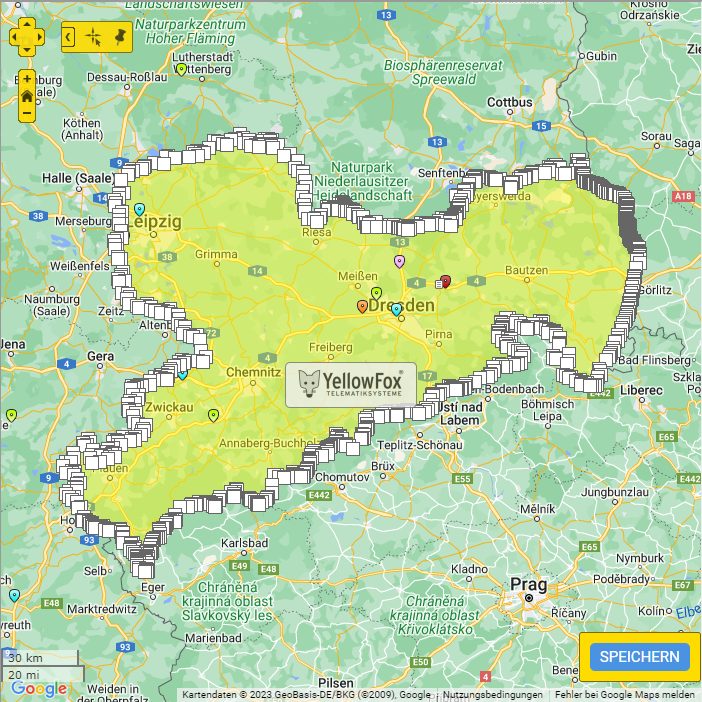
Example Call
https://map.yellowfox.de/rti/address_management/area_editor.php?company=COMPANY_KEY&import=IMPORT_KEY&language=deu&width=700&height=700&watermark_position=center&uuid=AREA_UUID&category=passive